How to Create Powerful Interactive Sustainability Reports
Transform static PDF sustainability reports into engaging digital experiences. Discover how Viewnamic lets you add videos, interviews, interactive click-dummies, and other multimedia content without changing the original document.

Sustainability reports contain important stories about environmental progress, social responsibility, governance, and long-term impact. Yet many companies and associations publish these reports as static PDF files that are difficult to explore. Valuable content is available, but it does not always receive the attention it deserves.
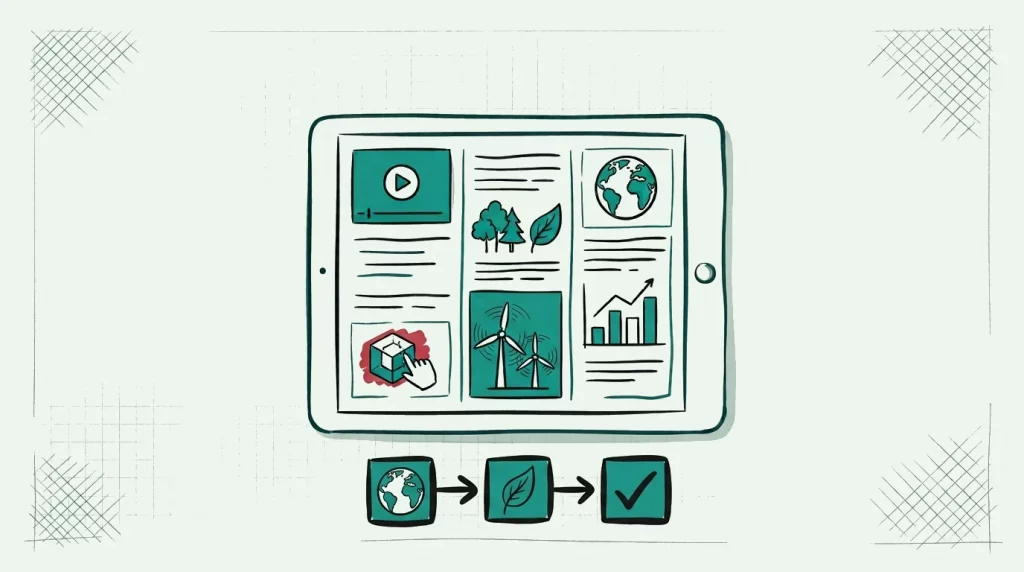
With Viewnamic, you can transform a conventional sustainability report into an interactive digital experience. Videos, expert interviews, animated content, 3D models, and interactive click-dummies can be placed directly within the document without changing the original PDF.
The result is a report that remains professional and familiar while becoming more engaging, accessible, and memorable.
Why Sustainability Reports Matter
Sustainability reporting helps organizations communicate how they address environmental, social, and governance topics. Depending on factors such as location, legal form, company size, and applicable regulations, an organization may be required to publish certain information. Other companies and associations report voluntarily to demonstrate transparency and strengthen trust.
A sustainability report can cover topics such as:
- Carbon emissions and climate targets
- Energy and resource consumption
- Waste reduction and circular economy initiatives
- Employee wellbeing and diversity
- Supply-chain standards
- Social and community projects
- Governance and compliance measures
- Progress toward defined sustainability goals
Publishing this information is not merely a reporting exercise. It is an opportunity to show customers, employees, members, partners, and other stakeholders what your organization is doing—and why it matters.
However, the format often limits the report’s impact.
The Problem With Static PDF Sustainability Reports
PDF remains one of the most common formats for corporate and nonprofit reporting. There are good reasons for this: PDFs preserve layouts, are easy to download, and provide a consistent visual presentation.
But a traditional PDF also has limitations.
Important stories become difficult to discover
Sustainability reports can contain dozens or even hundreds of pages. Readers may need to navigate long passages, complex diagrams, and extensive data tables to find the information relevant to them.
Even a visually attractive report can feel passive. Readers scroll through text and images, but they cannot directly explore the initiatives, people, and projects behind the numbers.
A download does not tell you what readers value
When you offer a PDF download, you may be able to count clicks—but that provides only limited insight.
Did readers engage with your climate strategy? Did they watch an interview? Were they interested in a specific project? Static files make it difficult to understand which stories and topics generate meaningful engagement.
What Is an Interactive Sustainability Report?
An interactive sustainability report combines the trusted structure of a PDF with the possibilities of a modern web experience.
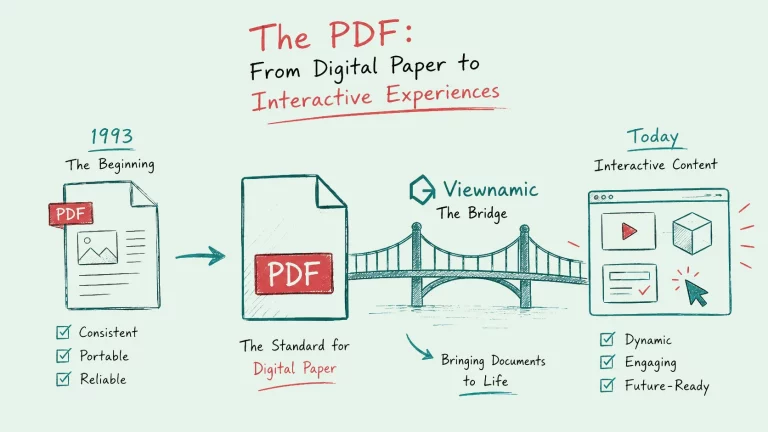
Viewnamic renders your original document inside a custom web viewer. Your PDF remains unchanged, while readers access the enhanced version through a web link.
You can use this this content for example:
- Video interviews with executives, employees, or project partners
- Project videos showing sustainability initiatives in practice
- Interactive charts and infographics
- Click-dummies that let readers explore products or concepts
- 3D models of products, buildings, or infrastructure
- Links and calls to action for related resources
- Additional explanations for complex topics
- Multimedia case studies featuring real people and outcomes
This approach preserves the design and integrity of your report while adding content that would not work inside a conventional PDF.
How Viewnamic Enhances Sustainability Reporting
Bring your sustainability initiatives to life
Numbers are essential, but they rarely tell the complete story.
Imagine a section describing your organization’s renewable energy project. Instead of relying only on a photograph and a paragraph, you could include a short video showing the project in operation.
A chapter on workplace culture could feature interviews with employees. A circular product concept could be supported by an interactive model that lets readers explore different materials and lifecycle stages.
These elements make abstract goals more concrete and help stakeholders understand the real-world impact behind your reporting.
Keep your original report intact
You do not need to rebuild your sustainability report as a separate website.
Viewnamic uses the existing PDF as the foundation of the experience. The original document remains unchanged, and interactive content is placed on top of it inside the browser-based viewer.
The process is straightforward:
- Upload your existing PDF report.
- Choose the areas you want to enhance.
- Add videos, interviews, 3D content, or click-dummies.
- Customize the viewer to match your corporate identity.
- Publish and share the report through a web link.
This allows you to modernize an existing publication without discarding the work already invested in its layout, copy, charts, and branding.
Deliver a consistent web experience
Because the interactive content is delivered using modern web technology, readers do not need a special PDF reader, browser plugin, or additional application.
They can open the report through a link on their:
- Desktop computer
- Laptop
- Tablet
- iPhone
- Android device
Viewnamic also preserves a natural reading experience with continuous vertical scrolling. Unlike traditional flipbooks, there is no artificial page-turning animation or unnecessarily complicated navigation.
Learn how readers engage
Interactive reports can provide more useful engagement data than a simple PDF download.
Depending on the selected setup, you can evaluate metrics such as:
- Report views
- Reader engagement
- Interactions with embedded elements
- Video activity
- Interest in individual content experiences
These insights can help you understand which sustainability topics resonate with your audience. They can also inform future reports, stakeholder communications, and content strategies.
Example: Making Urban Mobility Content Interactive
Consider a short sustainability document explaining how electric scooters can benefit cities. A static version might include written arguments, supporting statistics, and photographs.
An interactive version could go further by adding:
- A video showing electric scooters in an urban environment
- Interviews with mobility experts or city representatives
- A clickable comparison of different transport options
- An interactive map illustrating potential mobility connections
- A click-dummy explaining how a shared mobility service works
- Animated data about space usage, traffic, or emissions
You can explore an example document about the potential benefits of electric scooters for cities here:
View the interactive electric scooter document
This demonstrates how even a short informational document can become more engaging when readers are invited to explore the subject instead of simply scrolling through static pages.
Who Can Benefit From Interactive Sustainability Reports?
Interactive reporting is relevant to more than large corporations. It can support any organization that needs to communicate its environmental or social impact clearly.
Companies
Businesses can enhance annual reports, ESG reports, environmental reports, and supply-chain publications with multimedia evidence and stakeholder stories.
Associations and nonprofit organizations
Associations, foundations, and other nonprofit organizations can use interactive reports to demonstrate their impact to members, donors, partners, and the public.
Municipalities and public institutions
Cities and public organizations can explain mobility, energy, infrastructure, and community projects through accessible visual content.
Agencies and sustainability consultants
Agencies can offer interactive reports as an additional service, helping clients extend the reach and value of existing publications.
Best Practices for an Effective Interactive Report
Interactivity should support your message—not distract from it. Focus on elements that make complex information easier to understand or add a valuable human perspective.
For the strongest result:
- Keep embedded videos concise and focused.
- Place interactive elements where they are contextually relevant.
- Use interviews to add credibility and human stories.
- Make calls to action clear.
- Maintain consistent branding throughout the viewer.
- Avoid adding animation solely for decorative purposes.
- Provide captions, transcripts, alternative text, and accessible controls where applicable.
- Test the final experience on desktop and mobile devices.
A well-designed interactive sustainability report should feel natural. Readers should immediately understand where they can explore more without losing the familiar structure of the original document.
Transform Your Sustainability Report With Viewnamic
Sustainability reports should do more than fulfill a formal publication requirement. They should explain progress, build trust, and motivate stakeholders to engage with your organization’s goals.
Viewnamic helps you turn an existing PDF into an interactive sustainability report with videos, interviews, 3D models, click-dummies, analytics, and customizable branding. Your original PDF stays intact, while your audience receives a modern, browser-based experience across desktop and mobile devices.
Make your sustainability initiatives visible, understandable, and engaging. Visit Viewnamic to discover how your next sustainability report can become an interactive digital experience.
Last updated:
Publish your PDFs with Viewnamic
Host, share and enhance your documents – free for 30 days.