The problem
Print PDFs are hard to read and share online
Downloading large PDF files is slow, breaks on phones and gives you no idea who actually read your publication. Flipbook tools often reprocess your layout and add their own branding.

Use case · Magazines
Upload the print PDF you already have and publish it as a digital magazine with realistic page-flip reading, your own branding and a public archive of every issue.
Live example
A culture and city magazine published online in magazine mode – page-flip reading without ads, no interactive content needed.

Trusted by teams across industries












The problem
Downloading large PDF files is slow, breaks on phones and gives you no idea who actually read your publication. Flipbook tools often reprocess your layout and add their own branding.
The Viewnamic way
Viewnamic keeps your layout exactly as designed and turns every issue into a fast web publication.
Features
From the page-flip viewer to the archive of every issue – the features publishers use most.
Double-page spreads with a realistic page-turn effect – or smooth scrolling, which readers can switch to at any time.
All your public issues on one page in your design – with your logo, a description and a link to your website. Your own newsstand.
Copy the embed code into your website – readers turn the pages without leaving your site.
Every issue also has a structured text version on the same URL – accessible for screen readers and readable for search engines and AI assistants.
Readers see your magazine and nothing else – no banners and no recommendations of other publishers.
Optional: add a video, an image slideshow or a link to single pages – an interview, a making-of or the product from an ad.
How it works
No new design, no plugins, no special software for your readers.
Use the file you send to the printer. Layout, fonts and images stay exactly as designed.
Magazine mode with a realistic page-flip effect or smooth scroll mode – in a clean viewer without ads.
Share the link, embed the issue on your website and list it on your public page – your archive grows with every issue.
Branding
The viewer shows your logo and colours and links back to your website. Your public publication page collects all public issues with your logo, a description and your website – a branded newsstand instead of a third-party platform.
Included in selected plans. Compare plans
Insights
See how often each issue is opened, how long readers stay on every page and how often the PDF is downloaded – without cookies and without storing IP addresses.
Without cookies, without storing IP addresses – deleted after 12 months.
Included in selected plans. Compare plans
Comparison
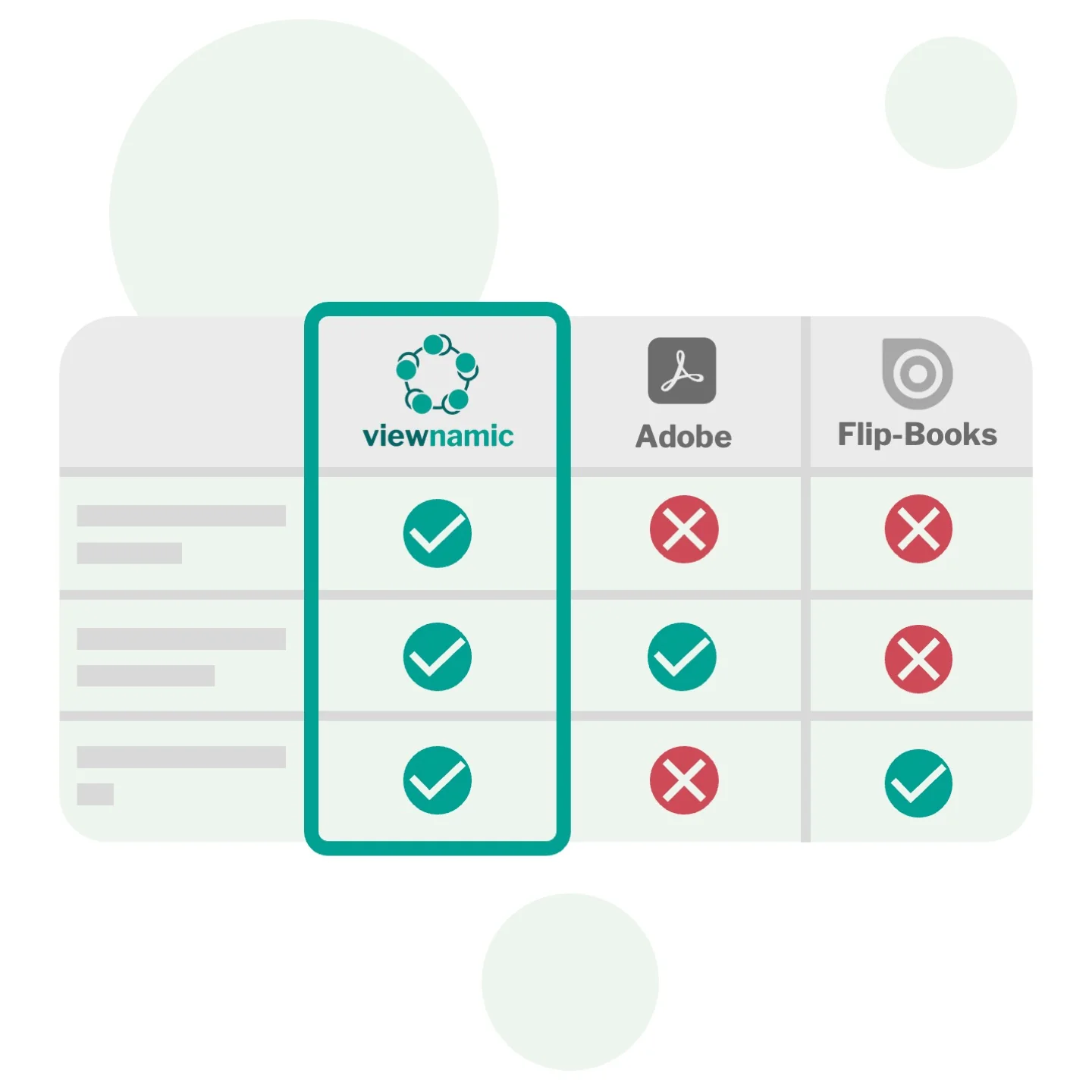
Viewnamic keeps your original PDF file size unchanged when adding videos – unlike Adobe, which embeds media directly into the file. And it offers a true PDF viewer that preserves layout and readability, while flipbook tools convert your document into their own format and usually offer only page-flip.
Blog
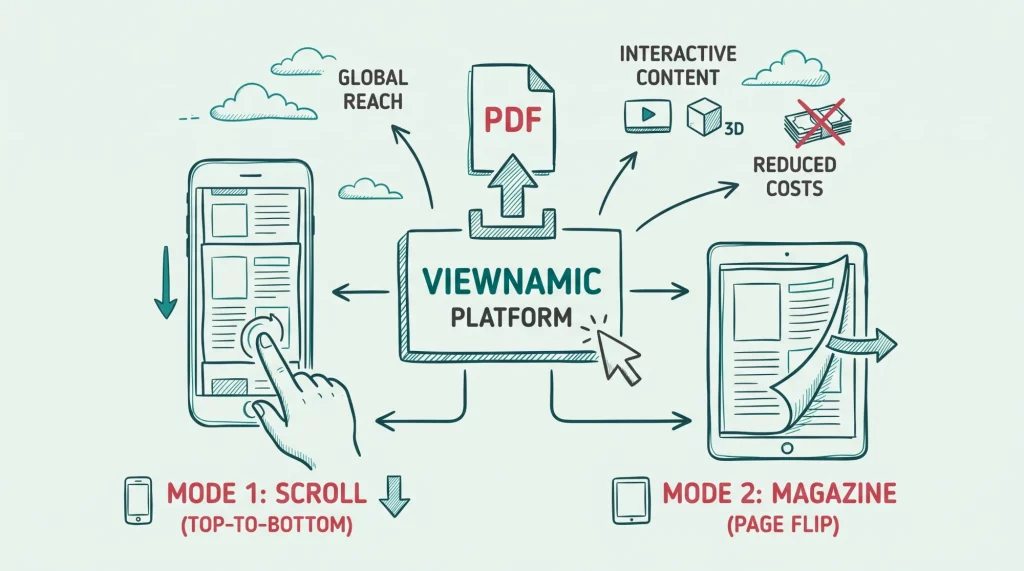
Discover why publishing your magazine online is essential for modern audiences. Learn how Viewnamic outperforms traditional flipbooks by offering flexible reading modes…
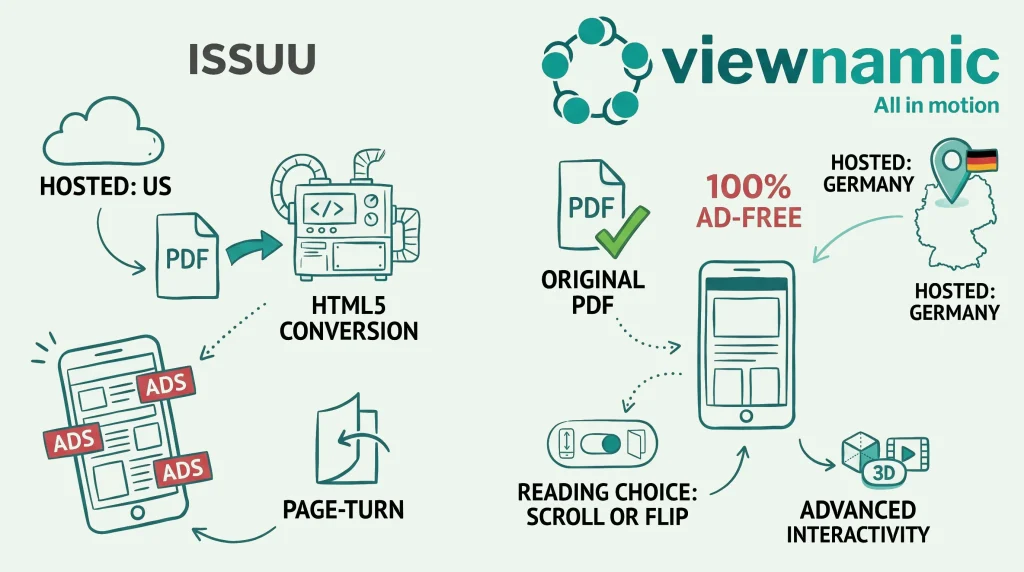
Discover why Viewnamic is redefining digital publishing: original PDF fidelity instead of outdated conversions, data security made in Germany and a 100%…

Learn what makes a great travel guide and how videos, 3D models and click dummies turn a static PDF into an engaging,…
FAQ
Yes. Upload the print PDF and publish it as it is – with page-flip reading, a public publication page and embedding on your website. Depending on your plan, you also get reader statistics, a viewer in your own logo and colours and the option to add videos or image slideshows to single pages later.
Yes. Your public publication page lists every publication you set to public, together with your logo, a description and a link to your website. Link to it from your website, newsletter or social media.
You decide. Depending on your plan, you can allow readers to download the original PDF – for example for an offline copy – or keep the publication online only.
That depends on how many issues you publish and which features you need. The pricing page compares what each plan includes – or ask us for a tailored plan.
No. Your publication opens in any modern browser via a link or an embed on your website – no downloads, plugins or accounts required.
Yes. Publications work smoothly on phones, tablets and desktops, including touch gestures and full-screen reading.
Yes. Viewnamic is developed in Germany, runs on servers in German data centres and processes personal data in line with the GDPR. We provide a data processing agreement (DPA), collect reader statistics without cookies and without storing IP addresses, and delete them automatically after 12 months.
Upload a PDF, add your content and share the link – free for 30 days.