Skip to content
Viewnamic – home

Industry · Architecture & design

Interactive PDFs for architecture and design

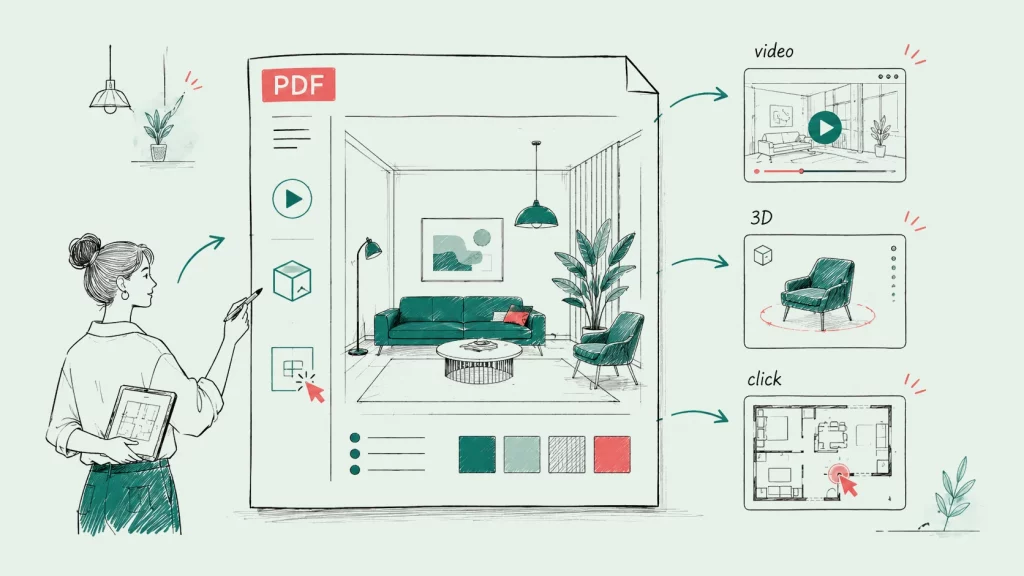
Show how a room feels, how a fabric moves and how a building looks from every side: add videos, image slideshows and 3D models to portfolios, concepts and project presentations – with your layout exactly as designed.

  • 30 days free
  • Your PDF stays unchanged
  • Hosted in Germany

Live example

See it in a real document

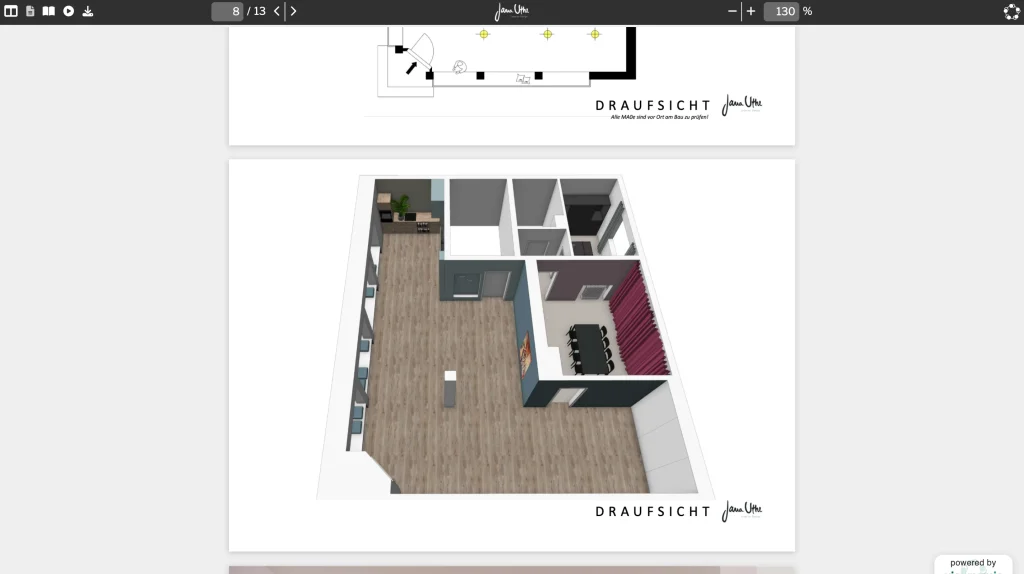
An interior design concept that clients explore in the browser, with media that convey the atmosphere of the space.

Yoga studio design concept by Jana Uthe Interior Design in a branded viewer: a 3D top view of the studio’s rooms.
Open the live example (opens in a new tab)

Opens the document from viewnamic.com

Yoga studio design concept Interior design · Jana Uthe Interior Design Open in a new tab: Yoga studio design concept

Trusted by teams across industries

  • Deutsche Bank Immobilien
  • MBG Group
  • Ecclesia Group
  • Spar- und Bauverein
  • Landesregierung NRW
  • Paderborn University
  • PalPrint
  • Wegener
  • Kran Immo Real Estate
  • Insurlab Germany
  • Braynpower
  • Solarmarkise
  • Jana Uthe Interior Design
  • MiaArtVenture
  • garage33
  • Hosted in Germany
  • GDPR-compliant
  • Privacy-friendly statistics
  • Protected access
More about privacy & security

The problem

A static PDF hides what makes your design special

Movement, materials and atmosphere are hard to capture in a few photos. Large image and video files make portfolios too heavy to email, and many online platforms convert your carefully designed layout.

The Viewnamic way

Let your work speak for itself

Viewnamic shows your PDF exactly as designed and layers your media on top – clients and juries experience your work in their browser.

  • Videos that show movement, fabrics and atmosphere
  • Image slideshows for whole series instead of single pictures
  • 3D models that clients rotate and zoom
  • A viewer in your own logo and colours (depending on your plan)

Features

Made for architects and designers

Space, material and atmosphere – shown the way you designed them.

How it works

Set up in a few clicks

No new design, no plugins, no special software for your readers.

  1. Upload your portfolio or concept

    Export it from InDesign, Illustrator, Canva or any other tool – fonts and layout stay as designed.

  2. Add motion and depth

    Place videos, image slideshows or 3D models on the pages where they show your work best.

  3. Share it with one link

    Send the link to clients, juries or employers – or, depending on your plan, embed it on your website or list it on your public page.

Branding

Your work in your own design

Show your logo and colours in the viewer and link to your website – so your portfolio or concept feels like part of your studio from the first click.

Included in selected plans. Compare plans

Illustration: a document viewer in your own colours, with your logo in the toolbar and a link to your website, set up in a small design panel.

Insights

See what catches your clients’ eye

Find out which pages are read longest and which videos are played – and learn which projects interest your clients most.

  • Visits & page views How often each publication and page is opened.
  • Reading time How long readers stay – per document and per page.
  • Media engagement Video plays, 3D interactions, click-dummy and link clicks.
  • Downloads See how often the original PDF was downloaded.

Without cookies, without storing IP addresses – deleted after 12 months.

Included in selected plans. Compare plans

Illustration with sample numbers: the statistics page of one publication shows its visits, the average active reading time and the downloads, a graph of the visits over the last 30 days and how often each video and 3D model was viewed – measured without cookies and without storing IP addresses.

Comparison

How Viewnamic differs from traditional PDF tools

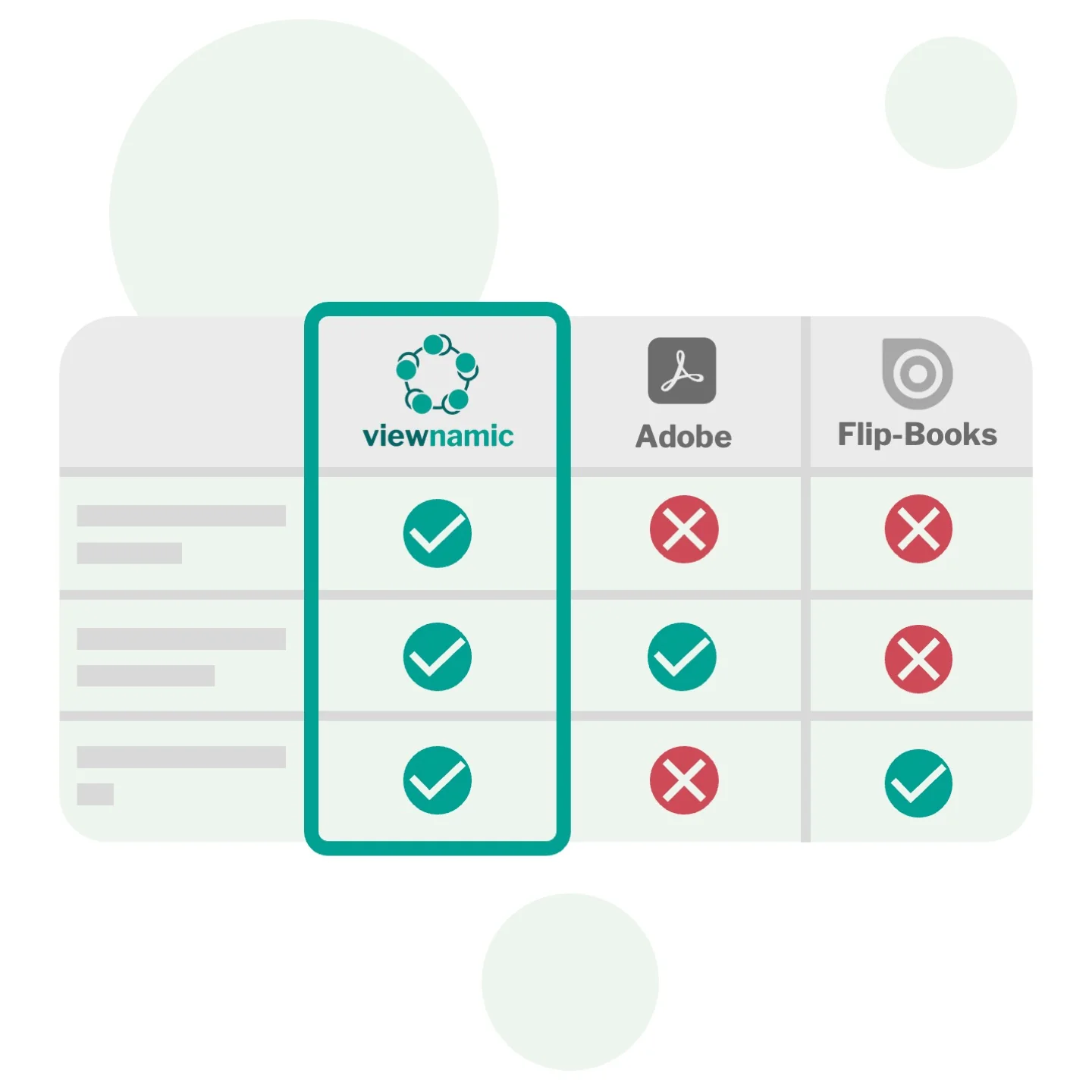
Viewnamic keeps your original PDF file size unchanged when adding videos – unlike Adobe, which embeds media directly into the file. And it offers a true PDF viewer that preserves layout and readability, while flipbook tools convert your document into their own format and usually offer only page-flip.

Adobe rich media
Media is embedded into the file: the PDF becomes huge and plays only in a few readers.
Flipbook tools
The document is converted into the tool’s own format, usually page-flip only; videos often open as YouTube links in an overlay, and 3D models or click dummies are usually missing.
Viewnamic
The original PDF stays unchanged and small; your own videos and other media play right on the page – in magazine, scroll or presentation mode and in every browser.

Comparison of Viewnamic with Adobe PDF rich media and flipbook tools: Viewnamic keeps the original PDF unchanged, works in every browser and supports videos, 3D models and analytics.

Real examples

More from architecture and design

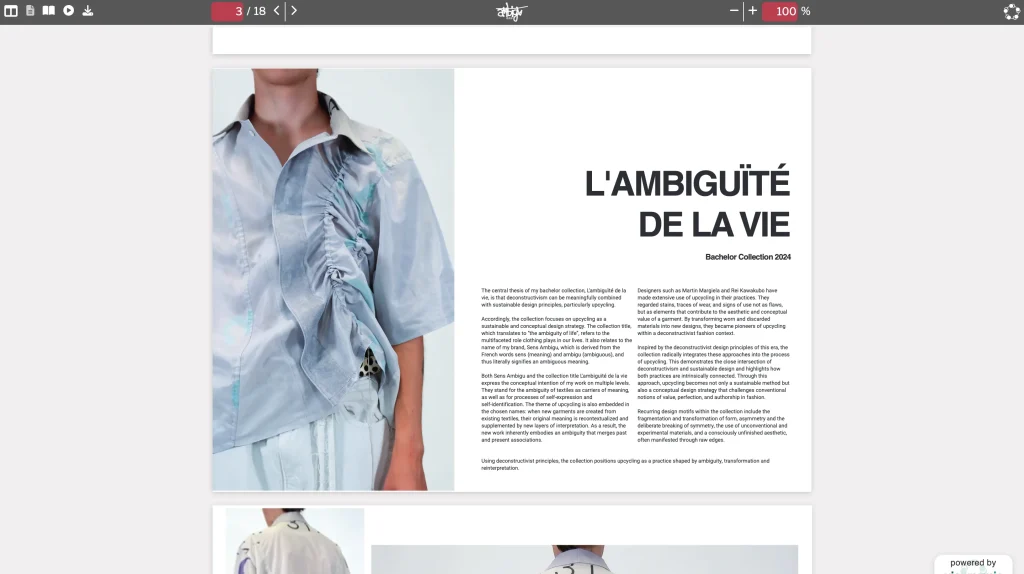
Concepts and portfolios from interior design and fashion – open them in the viewer.

Use cases

Related use cases

Documents that teams in Architecture & Design publish with Viewnamic.

Blog

Further reading

FAQ

Frequently asked questions

Which design documents can I present?

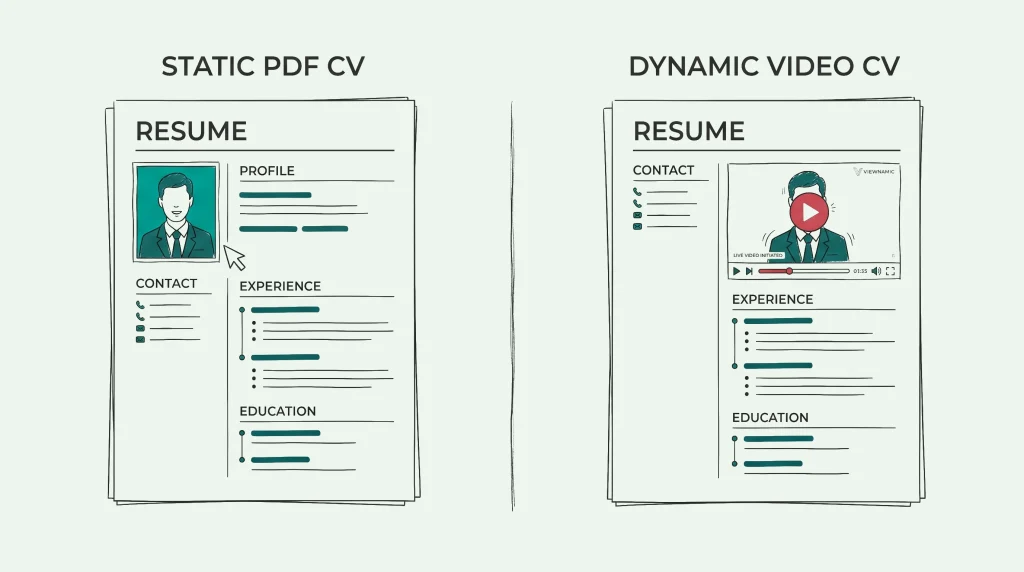
Any document you can export as a PDF: portfolios and lookbooks, mood boards and design concepts, interior and architecture presentations, CVs and application portfolios.

Will my layout and fonts stay exactly as designed?

Yes. Viewnamic shows your original PDF – pages, fonts and images exactly as you exported them. Media are layered on top in the viewer; the file itself is not changed.

Can I show a whole series of images in one spot?

Yes. An image slideshow combines several pictures in one area of the page – if you like, it changes the images automatically at an interval you choose and shows navigation arrows.

How can I embed a video (or other content) into a PDF?

Upload your PDF, choose the area where the video should appear and upload your video – that’s all it takes.

You decide how it plays: automatically as soon as it is visible, in a loop, with or without player controls. The video stays outside the PDF file, so the file stays as small as before.

Does Viewnamic work on mobile devices?

Yes. Publications work smoothly on phones, tablets and desktops, including touch gestures and full-screen reading.

Do readers need special software or an account?

No. Your publication opens in any modern browser via a link or an embed on your website – no downloads, plugins or accounts required.

Newsletter

Get product updates and publishing tips

New features, examples and ideas for better digital documents – a few times a year, no spam.

Show your work in motion

Upload a PDF, add your content and share the link – free for 30 days.