The problem
A printed brochure can’t show the destination
Maps, photos and long lists of tips quickly fill a travel guide or a hotel brochure. Readers look up places, opening hours and videos elsewhere – and the document ends up in a drawer.

Industry · Travel & hospitality
Destinations, hotels and tour operators: add clickable maps, videos of the destination and links to bookings to the PDFs you already have – travellers explore every stop in their browser, without an app.
Live example
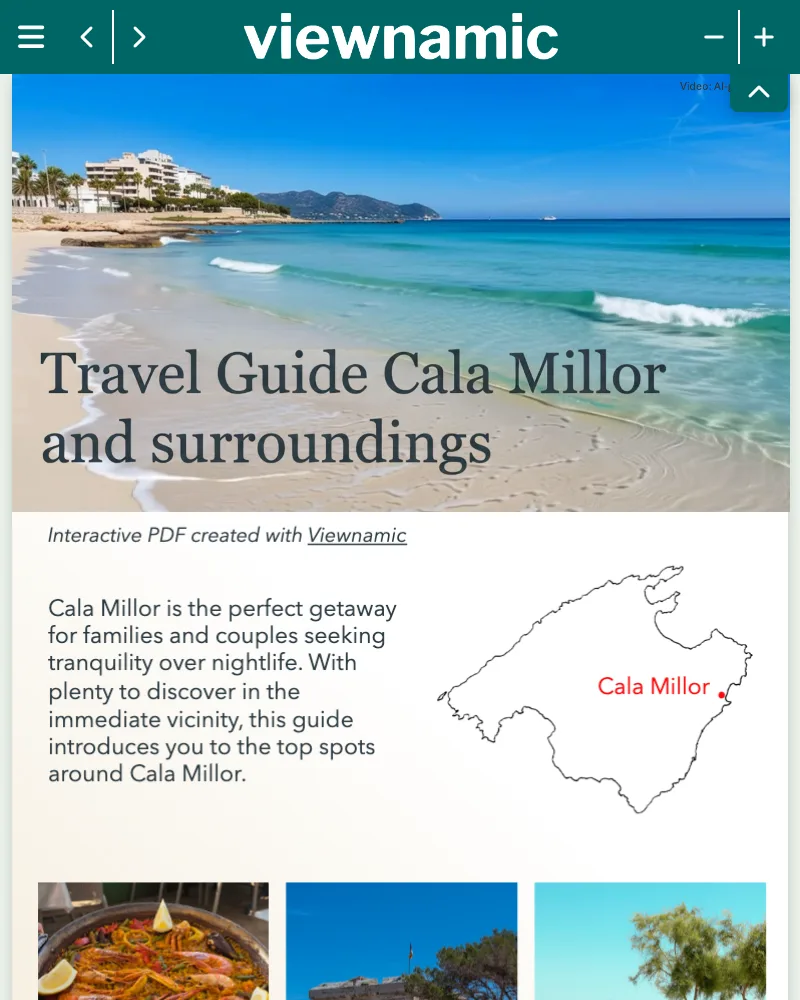
A travel guide with clickable maps: numbered markers along the route open details for every stop – without leaving the document.
Trusted by teams across industries












The problem
Maps, photos and long lists of tips quickly fill a travel guide or a hotel brochure. Readers look up places, opening hours and videos elsewhere – and the document ends up in a drawer.
The Viewnamic way
Viewnamic turns your PDF into a companion that travellers explore in their browser – before the trip and on the way, on their phone, without an app.
Features
Show the place, guide the way and lead straight to the booking.
Build a click dummy from your map: a tap on a marker opens the details of every stop.
Show the beach, the hotel room or the hiking trail in motion – right on the page.
Rooms, restaurants and excursions as a series of photos in one spot.
A hotel photo leads to the booking page, a tour to the ticket shop, a map to directions.
Print the link as a QR code in the room, at reception or on a flyer – guests open the interactive version on their phone.
Embed the guide or brochure on your website – with every map and video working.
How it works
No new design, no plugins, no special software for your readers.
Use the PDF you already have – the layout stays exactly as designed.
Build a click dummy from your map and detail screens, add videos or slideshows of the destination and link to bookings.
Send the link, print it as a QR code or – depending on your plan – embed the guide on your website.
Branding
Show the logo and colours of your region, hotel or travel company in the viewer and link to your website.
Included in selected plans. Compare plans
Insights
See which pages are read longest and how often maps, videos and links are used – and find out what interests your readers most.
Without cookies, without storing IP addresses – deleted after 12 months.
Included in selected plans. Compare plans
Comparison
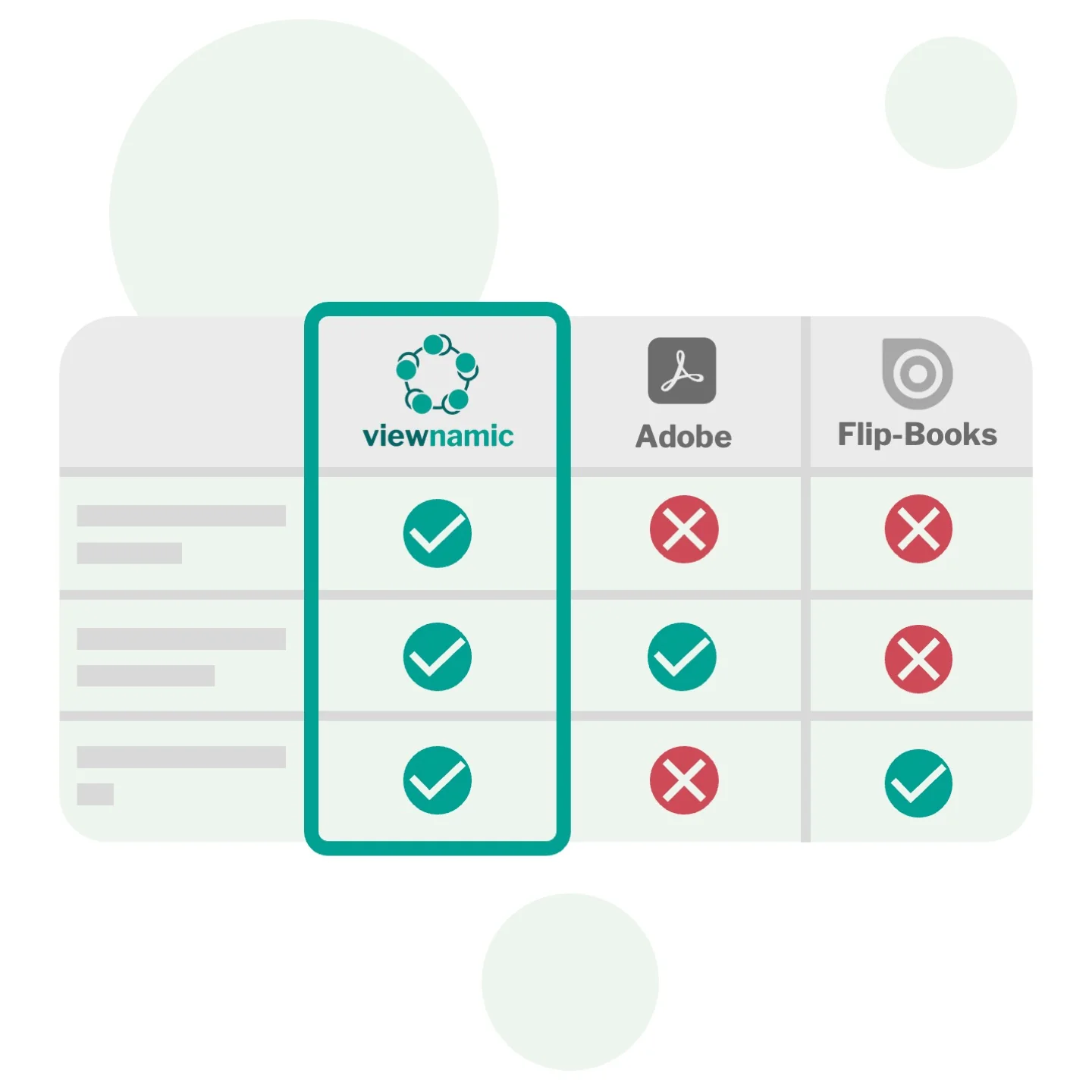
Viewnamic keeps your original PDF file size unchanged when adding videos – unlike Adobe, which embeds media directly into the file. And it offers a true PDF viewer that preserves layout and readability, while flipbook tools convert your document into their own format and usually offer only page-flip.
Use cases
Documents that teams in Travel & Hospitality publish with Viewnamic.
Blog

Learn what makes a great travel guide and how videos, 3D models and click dummies turn a static PDF into an engaging,…
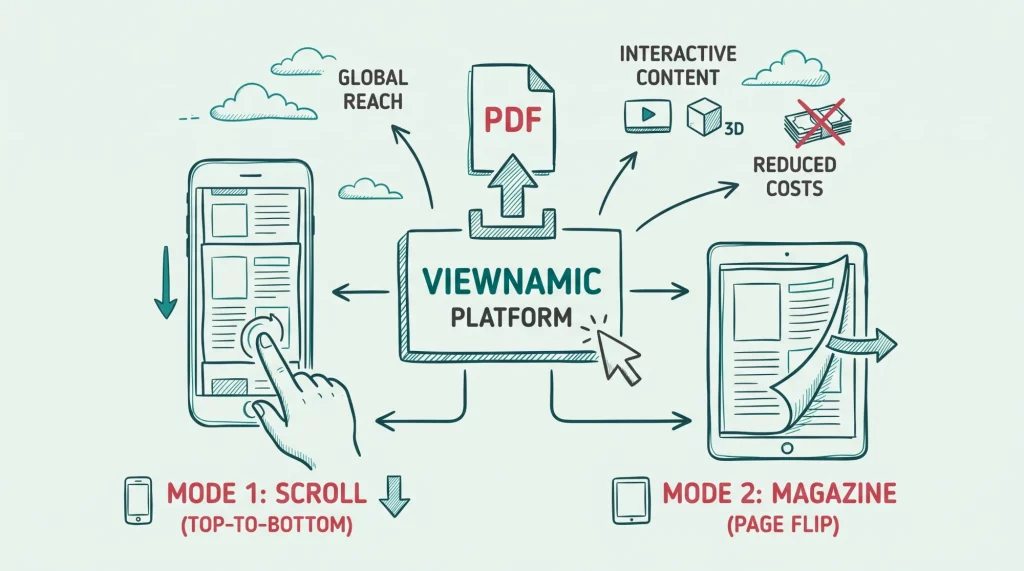
Discover why publishing your magazine online is essential for modern audiences. Learn how Viewnamic outperforms traditional flipbooks by offering flexible reading modes…
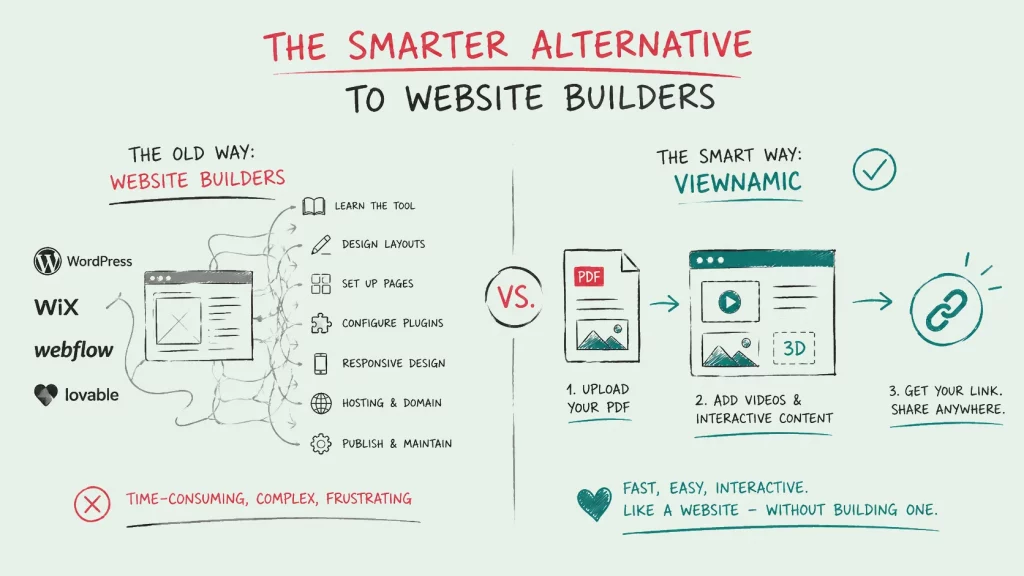
Creating a website can be complicated, especially without coding or web design experience. Learn how Viewnamic transforms PDFs into interactive online experiences…
FAQ
Any document you have as a PDF: travel and city guides, hotel and guest guides, resort and cruise brochures, tour catalogues, hiking maps and event programmes.
Create a click dummy: upload the map and a detail screen for each stop as JPG or PNG, draw hotspots on the markers and choose which screen each hotspot opens. Then place the click dummy on the map in your PDF.
Yes. The guide opens in any modern browser on phones, tablets and computers – no app, no download and no account needed.
Yes. Any area of the page can be a link – for example a hotel photo to its booking page or a tour to the ticket shop.
Upload your PDF, choose the area where the video should appear and upload your video – that’s all it takes.
You decide how it plays: automatically as soon as it is visible, in a loop, with or without player controls. The video stays outside the PDF file, so the file stays as small as before.
Yes. Publications, media and interactive content are delivered by Viewnamic, so readers need to be online. If you allow downloads, readers can always save the static PDF for offline use.
No. Your original PDF stays unchanged and lightweight. Interactive content and its position are stored separately and displayed on top of the page inside the Viewnamic viewer.
Upload a PDF, add your content and share the link – free for 30 days.