

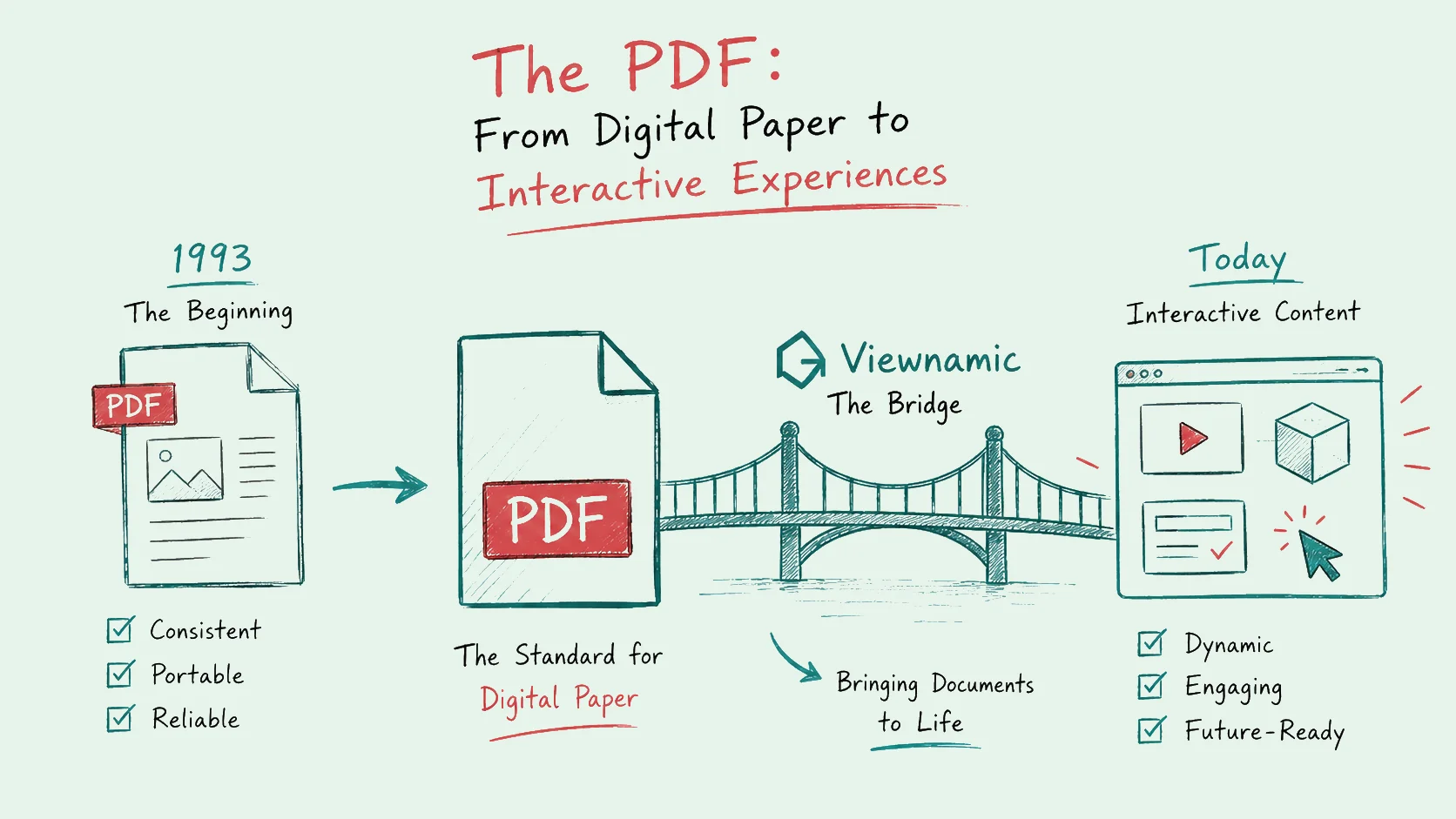
Have you ever stopped to wonder how the business world settled on a single file format to share contracts, eBooks, and product brochures? Whether you are signing a fresh sales agreement or reviewing an agency presentation deck, you are almost certainly interacting with a Portable Document Format (PDF).
Understanding the history of the PDF format reveals how a simple quest to replace physical paper transformed into a global infrastructure. But as our modern web shifts toward highly engaging, dynamic content, the traditional PDF is facing a massive communication bottleneck. Let’s look back at how the PDF came to life, why its built-in multimedia upgrades fell short, and how modern technology is finally bridging the gap.
The Camelot Project: How and Why the PDF Format Came to Life
In the early 1990s, the corporate world faced a frustrating problem: digital compatibility. If you created a highly designed marketing document on a Macintosh computer using specific fonts and precise column layouts, it would completely break when opened on a Windows PC. Font substitutions would distort text, images would shift out of place, and sharing files electronically without losing visual integrity felt nearly impossible.
Enter Dr. John Warnock, the co-founder of Adobe. In 1991, he launched an internal research project code-named “The Camelot Project.” His vision was straightforward yet revolutionary for its time: to pioneer a universal file format that would allow anyone to view, share, and print documents from any computer system, using any application, looking exactly as intended by the author.
The Birth of Digital Paper
In 1992, this project officially debuted to the public as the PDF. The ultimate purpose of the PDF was to act as “digital paper.” Just like printing a document onto a physical sheet of paper, a PDF locked text, specific corporate fonts, margins, vector graphics, and layouts into a static, unchangeable container. No matter what operating system, hardware configuration, or monitor you used to open it, the document looked perfectly identical.
However, the format didn’t take off overnight. In its infancy, Adobe Acrobat software was expensive to purchase, and rendering heavy PDF documents caused severe lag on the sluggish dial-up connections of the 1990s. It wasn’t until Adobe made the Acrobat Reader software entirely free to download, and eventually released PDF as an open standard (ISO 32000-1) in 2008, that it became the unstoppable global juggernaut we know today.
The Modern Ubiquity of PDFs: Fascinating Statistics
Today, the PDF format is more dominant than ever before. To grasp just how deeply embedded this format is within our global digital workflows, consider these striking statistics:
- Trillions of Files: There are an estimated 2.5 trillion PDFs in existence worldwide, with more than 290 billion new ones created annually, showing a consistent 12% year-over-year growth according to data from Smallpdf.
- The Corporate Default: A staggering 98% of businesses report using PDFs as their default file type for external communications and document sharing.
- The Mobile Shift: While editing remains heavily tied to the desktop, 63% of all PDF views now happen directly on mobile devices like smartphones and tablets.
Clearly, the format achieved its core mission. It became the universal standard for documentation. Over the decades, however, Adobe realized that completely static paper wasn’t always enough for a fast-evolving web, prompting a wave of feature upgrades.
Form Filling to Rich Media: The Evolution of PDF Upgrades
As the internet transformed from static text pages into an interactive ecosystem, users demanded more functionality from their electronic documents. Adobe responded by turning the PDF into an extensible platform, introducing significant upgrades:
- Interactive Form Filling (AcroForms & XFA): Introduced in the mid-to-late 1990s, this allowed users to type data directly into designated text fields, paving the way for digital tax forms and interactive applications.
- Hyperlinks & Navigation: Long documents became easily scannable with clickable tables of contents, bookmarks, and external web links.
- Adobe Rich Media: In the 2000s, Adobe pushed the envelope by allowing creators to embed audio files, flash animations, and interactive 3D models directly inside the document container using H.264 video compression codecs.
By 2023, data published by PDF Reader Pro noted that approximately 45% of shared PDFs featured interactive elements like hyperlinks or buttons, highlighting a 650% growth in actionable features since its inception. However, when it comes to true rich media—such as high-quality video pitches or fully interactive product clickdummies—this native functionality is rarely used today.
Why did built-in PDF multimedia upgrades fail to catch on?
The Rich Media Problem: Why Built-In PDF Interactivity Fails
While embedding a video or a 3D walkthrough directly inside a PDF file sounds incredible on paper, the practical execution creates an administrative and user-experience nightmare. If you have ever tried to send a media-heavy PDF, you have likely run into the three fatal flaws of native PDF rich media:
1. File Size Explodes
A standard text-and-image PDF is lightweight and easy to email. The moment you embed a high-resolution MP4 video file or a complex 3D rendering, the file size balloons from a few kilobytes to tens or hundreds of megabytes. It immediately hits corporate email attachment limits and forces your recipient to endure agonizingly slow download times.
2. The Compatibility Nightmare
To view Adobe Rich Media, your recipient must open the file using specific desktop software, typically Adobe Acrobat Reader. However, that is not how modern professionals read documents. Today, native, lightweight PDF viewers are built directly into web browsers like Google Chrome, Apple Safari, and Microsoft Edge.
Furthermore, with the majority of PDF views occurring on mobile devices, users expect to tap and read on their smartphones instantly. These built-in mobile and browser engines completely strip away complex native rich media, leaving your recipient with a broken, static block or an unreadable error message.
3. Severe Security Risks
Historically, embedding executable scripts, flash dependencies, and dynamic media into a file container has been an open invitation for hackers. Malicious actors frequently used rich media wrappers to hide malware or launch phishing exploits. Because of these persistent security vulnerabilities, modern corporate IT departments frequently strip rich media elements out of incoming attachments entirely to protect their internal networks.
Act as a Bridge: How Viewnamic Solves the Interactive Document Dilemma
We live in an era where modern, dynamic media—like video pitches, interactive product clickdummies, and immersive 3D models—is essential to grab attention. Whether you are sending an HR resume, a real estate exposé, or a high-stakes B2B sales folder, a flat, boring PDF won’t make you stand out. But as we’ve seen, embedding that media natively inside the document breaks the user experience.
This is exactly where Viewnamic acts as a bridge between the rock-solid reliability of the standard PDF file format and the immersive world of modern media.
Instead of altering the original PDF file and causing the file size to explode, Viewnamic keeps your underlying document perfectly pristine. When you upload your document to Viewnamic, you can select any area or image within the page and place your dynamic content over it.
When your clients open the document, they view it through the highly polished, customizable Viewnamic Web Viewer. The interactive elements—be it a video, a clickable prototype, or a 3D model—are rendered smoothly as a modern HTML Div element layered directly on top of the PDF page.
The advantages of this approach are revolutionary for your business workflows:
- Zero PDF Distortion: The original PDF file remains completely unchanged, perfectly preserving its layout integrity and allowing it to be opened anywhere.
- Native Reading Experience: Your recipients enjoy a flawless, natural scroll-and-read experience across any device—including all modern web browsers and smartphones—without needing to install Adobe software.
- Lightweight Sharing: Because the media is streamed via the web rather than packed inside the file, document sharing remains lightning-fast.
- Actionable Analytics: Unlike traditional attachments sent into a black hole, Viewnamic gives you detailed real-time statistics regarding views, reading duration, and specific user interactions.
Conclusion: Don’t Let Your Documents Stay Stuck in the 1990s
The history of the PDF format proves that “digital paper” won’t be disappearing anytime soon; it remains the undisputed global standard for preserving document layout and trust. However, forcing static paper to handle heavy, interactive modern media using outdated native methods is a recipe for broken links, bloated file sizes, and frustrated users.
You don’t have to choose between the universal security of a PDF and the engagement power of rich media. By utilizing Viewnamic, you can seamlessly merge the two, presenting your sales folders, presentations, or portfolios exactly the way modern audiences expect to consume content.
Ready to transform your static documents into a dynamic, browser-friendly experience without sacrificing the PDF standard? Try Viewnamic today and bring your documents to life.