Create Digital Sales Materials: Make Your Sales Folder Interactive

Transform static PDFs into interactive sales experiences. Seamlessly integrate videos, 3D models, and click dummies directly into your sales documents. 

See how the MBG Group transformed their PDF B2B sales folder for their brand CRACKZ.

Click here to explore the interactive PDF

See how the MBG Group transformed their PDF B2B sales folder for their brand CRACKZ.

See how the MBG Group transformed their PDF B2B sales folder for their brand CRACKZ.

Trusted by professionals across different industries

Static PDF files kill sales momentum

Sending traditional, flat PDFs makes it incredibly hard to stand out in B2B sales. Explaining complex or visually demanding products through static text and plain images rarely creates the excitement needed to close a deal. Modern buyers expect a visual, engaging experience.
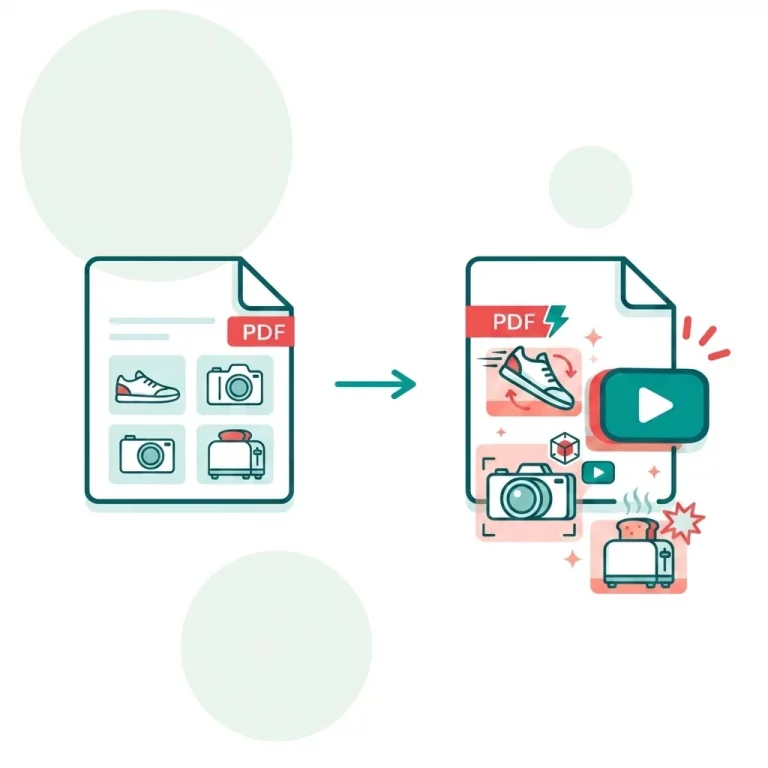
Comparison between a static pdf sales folder on the left and a dynamic sale folder on the right powered by Viewnamic.

Why dynamic sales folder work better for B2B Sales

Viewnamic brings your digital sales materials to life without altering your original file. You can seamlessly embed product videos, 3D models or clickable product demos to create a highly interactive sales folder. Your clients simply scroll naturally through the presentation directly in their browser.

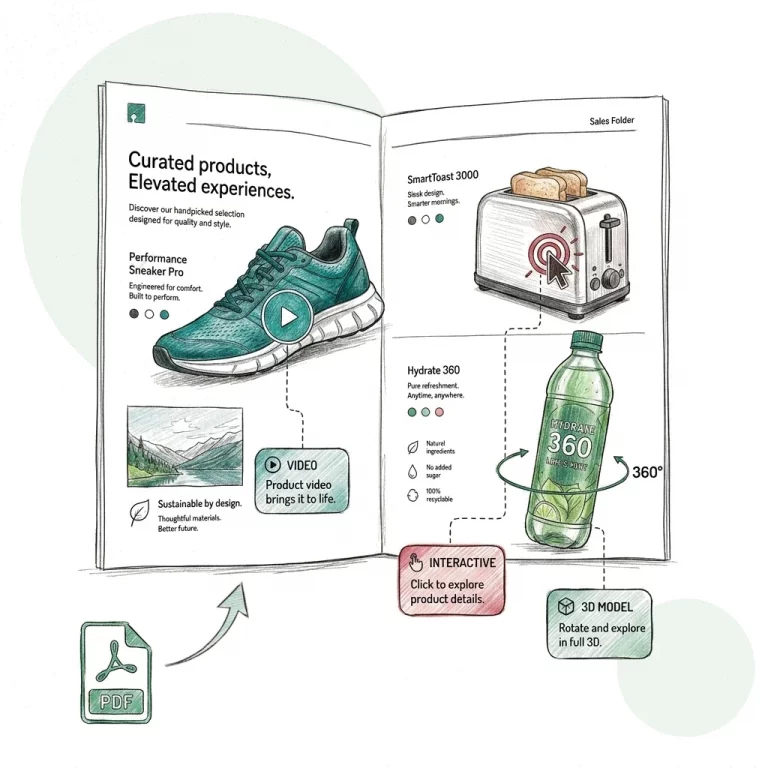
A hand-drawn, sketchy-style illustration of an open PDF sales folder showcasing interactive digital elements. The left page features a teal sneaker with a video overlay button, while the right page shows a toaster with a red interactive click target and a beverage bottle with a 360-degree 3D model rotation arrow. In the bottom right corner, a sketchy arrow points from a green PDF file icon up to the brochure, illustrating a document coming to life.

Enhance your PDF sales material with a few clicks

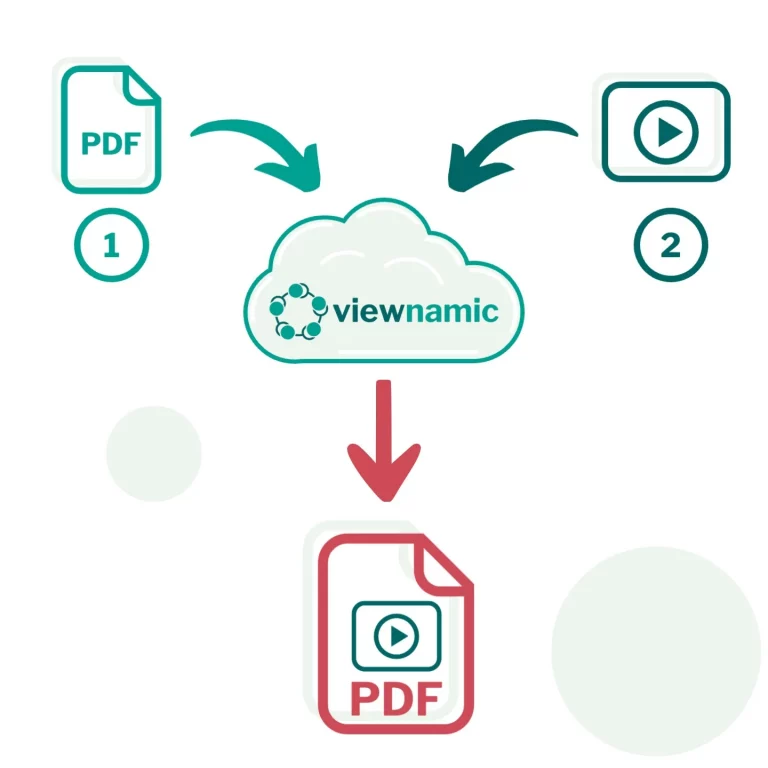
Creating your interactive sales folder is fast and straightforward. Upload your existing PDF, select the areas where your dynamic media should appear, and link your videos. Finally, generate a link to share your engaging pitch instantly. Contact us for help with creating your content.
Viewnamic workflow illustration – upload PDF and video to cloud-based platform to generate interactive multimedia PDF with shareable link.

Customize your PDF viewer to match your branding

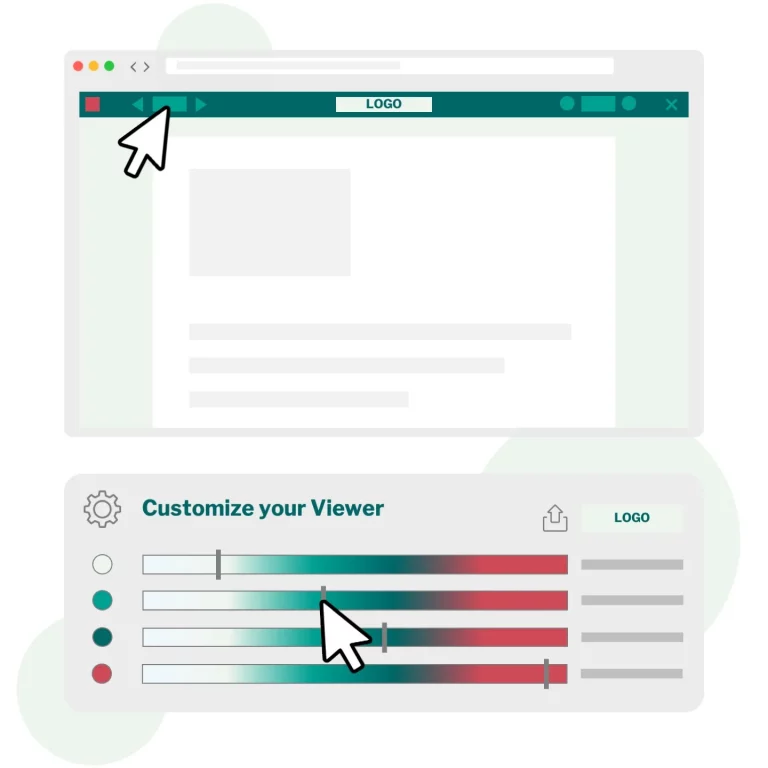
Your sales materials should reflect your brand seamlessly. The viewer is fully customizable, allowing you to easily apply your specific typography, colors or logo. Ensure the best customer journey along all your sales materials – even PDFs.

Poster vor Video. Poster Shows image of a PC-Mouse, a mockup PDF-Viewer and a Customizer from viewnamic with colourbars to adjust the PDF-Viewer elements

Actionable Statistics for Smarter Follow-Ups

While the dynamic experience captures attention, detailed analytics help you close the deal. Viewnamic shows exactly how long a prospect stays on a page and which embedded videos they actually watch. This data allows you to tailor your follow-up calls to their specific interests.

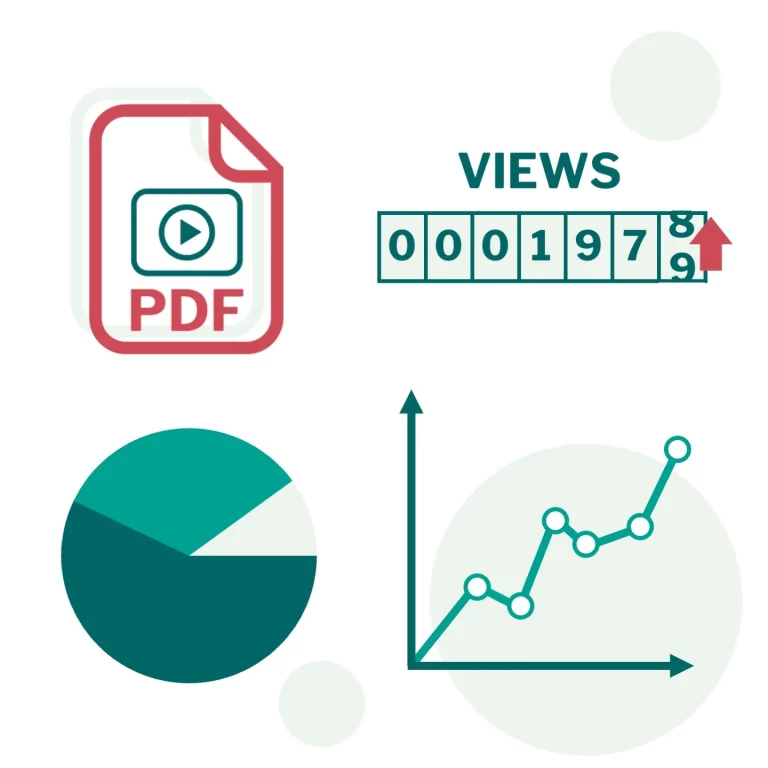
Schematic Illustration of statistical elements around a PDF. Track user statistics for your PDF document

How Viewnamic differs from traditional PDF tools

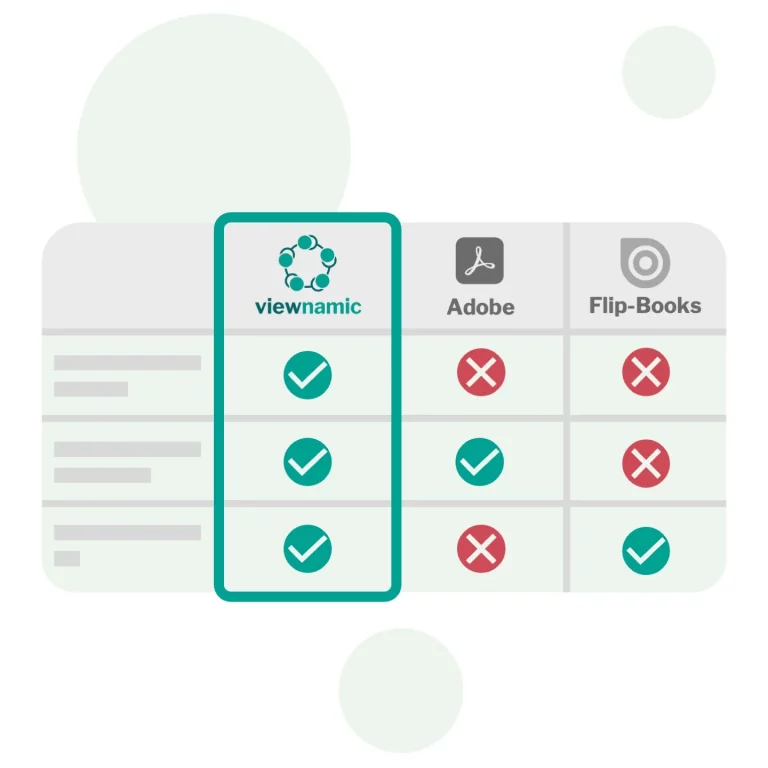
Viewnamic keeps your original PDF file size unchanged when adding videos — unlike Adobe, which embeds media directly into the file. It also offers a true PDF viewer experience, preserving layout and readability, while flipbook tools convert your document into a magazine-style animation that alters the original format.

Schematic comparison Table between Viewnamic Adobe and Flipbooks

Proven Success: The MBG Interactive Sales Folder

Leading brands are already rethinking their B2B sales approach. For the brand CRACKZ, the MBG Group utilized Viewnamic to turn a static presentation into an engaging, dynamic experience. By integrating product animations into a scrollable PDF, they captured client attention instantly. Viewnamic helped actively in creating the animations too.

MBG Group Logo

Ready for the Future of B2B Sales?

Increase your conversion rates with digital sales materials that truly stand out. Start transforming your PDFs today and bring your sales pitch to life.

FAQs

How can I embed a video (or other content) into a PDF?

To embed a video into a PDF simply upload your file. Then choose the area where the video should appear and upload your video — that’s all it takes.

If you prefer to place the video on top of an existing image, you can upload that image as well. Viewnamic will automatically detect the image inside your PDF and replace it for you.

Adobe Reader can display videos and other rich media inside a PDF, but most people avoid this method because it only works in a few PDF viewers. If you embed a video using Adobe tools and someone opens the file in Apple Preview or another common PDF reader, the media simply won’t appear.

There’s another drawback: Adobe embeds the video directly into the PDF file, which makes the document extremely large. This breaks email delivery and makes the PDF slow and cumbersome to navigate.

With Viewnamic, your original PDF stays lightweight and unchanged. The dynamic content is delivered through our interactive viewer, so it works reliably across devices without bloating your file.

Yes. Your original PDF remains unchanged, and all dynamic content is hosted by Viewnamic. You receive a shareable link to your document. When someone opens the link, the PDF is displayed together with the embedded videos — fully compatible with any device or browser.

If you prefer, you can also send the original PDF directly. The recipient can simply drag and drop the file into the Viewnamic PDF reader to view the interactive version.

You can always download the static PDF from the Viewnamic viewer if you need an offline copy.

No. Anyone can open your interactive document in a browser — no downloads or plugins required.

Your files are stored securely and only accessible through the unique link you share. You can delete your content at any time.

Viewnamic is ideal for manuals, real estate exposés, brochures, product sheets, presentations, CVs and any PDF that benefits from interactive media.

Yes. Your interactive documents work smoothly on phones, tablets, and desktops.

Stay Ahead in Digital Sales. Join our Newsletter!