The Ultimate Guide to Creating a High-Converting Real Estate PDF Exposé
Transform your static real estate documents into high-converting marketing assets. This guide covers everything from essential layout design and page structure to integrating dynamic videos with Viewnamic, ensuring your property exposé doesn’t just inform, but truly inspires.

In today’s hyper-competitive property market, a standard listing with a few smartphone photos simply won’t cut it. Whether you are a seasoned broker or a private seller, you need to capture your prospective buyer’s attention the moment they open your property brochure. That is where a masterfully crafted real estate PDF exposé comes in.
A great exposé is more than just a list of facts and figures; it is a carefully designed marketing asset that tells the story of a property, builds emotional connection, and ultimately drives inquiries. But how do you strike the perfect balance between informative and visually captivating? In this comprehensive guide, we will walk you through exactly how to create a property exposé that stands out, from essential content and design best practices to integrating innovative dynamic media that leaves a lasting impression.
What Makes a Great Real Estate PDF Exposé?
Before diving into the design, you need a solid foundation of content. Your buyers are looking for transparency, accuracy, and a reason to fall in love with the space.
The Essential Information
To build trust and save time for both you and the buyer, your exposé must answer their most pressing questions immediately. Ensure you include:
- The Hard Facts: Purchase price or rent, exact square footage, lot size, number of rooms, bathrooms, and the year of construction.
- Energy and Efficiency: Always include the energy performance certificate (EPC), heating type, and recent renovations.
- Location and Infrastructure: Buyers aren’t just buying a home; they are buying a neighborhood. Highlight nearby schools, public transit, supermarkets, and parks.
- Clear Contact Details: Make it effortlessly easy for them to reach you, including your name, phone number, email, and website.
High-Quality Photography and Floor Plans
Humans are incredibly visual creatures. Professional photography is non-negotiable. Hire a real estate photographer or use high-end equipment to capture wide, well-lit shots of every room. Alongside photography, clear, scaled floor plans are crucial. They help potential buyers visualize the flow of the property and mentally place their own furniture.
Structuring Your Exposé: Flow and Page Count
A common trap many creators fall into is either overwhelming the reader with a 40-page novel or starving them of context with a 2-page flyer.
Finding the Sweet Spot for Page Count
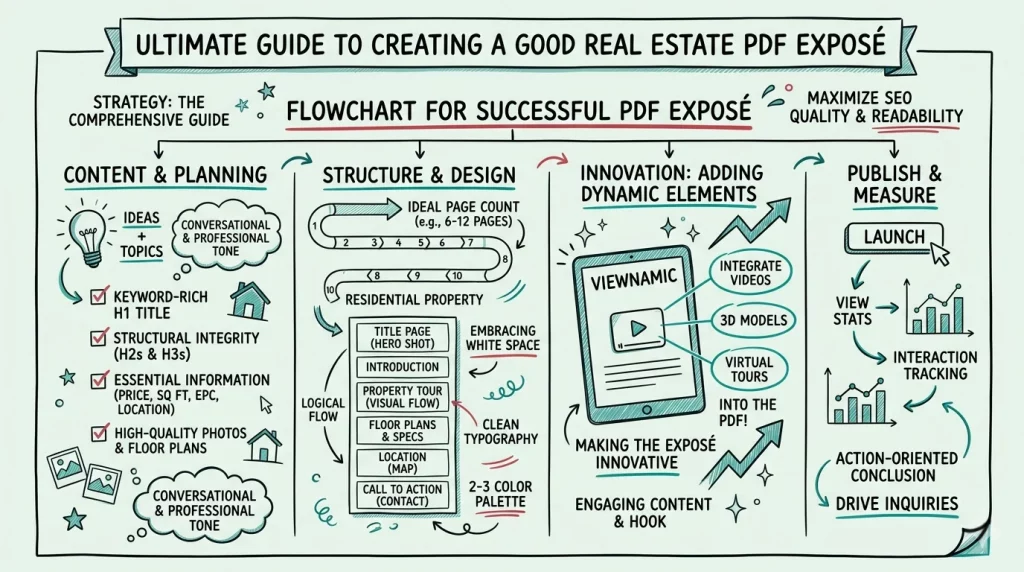
For a standard residential property, the ideal length for a real estate PDF exposé is between 6 and 12 pages. This provides enough space to showcase the property generously without causing fatigue. Luxury estates or large commercial properties might require 15 to 20 pages, but remember: the goal is to secure a viewing, not to answer every conceivable question.
The Narrative Arc
Structure your document logically to guide the reader through the home:
- The Title Page: A stunning hero shot of the exterior or best room, the property title, and basic pricing.
- The Introduction: A brief, emotional summary of the property’s unique selling proposition (e.g., “A modern oasis in the heart of the city”).
- The Tour: Walk them through the home visually, pairing beautiful images with concise, descriptive text.
- The Floor Plans & Specs: The analytical section for the detail-oriented buyer.
- The Location: A map and neighborhood highlights.
- The Call to Action: Your contact page.
Designing for Impact: Aesthetics and Layout
You don’t need to be a graphic designer to create a beautiful layout, but you do need to follow a few core design principles to ensure your real estate PDF exposé looks professional and trustworthy.
Typography and Color Palette
Keep your font choices simple. Pair a strong, clean sans-serif font (like Montserrat or Helvetica) for your headings with a highly readable serif or sans-serif for your body text. Limit your color palette to two or three primary colors that align with your branding. If you don’t have strict brand guidelines, stick to elegant neutrals like deep navy, charcoal, or slate gray, which allow your property photos to pop.
Embracing White Space
Do not clutter your pages. White space (the empty space around text and images) is your best friend. It gives the reader’s eyes a place to rest, makes your text much easier to read, and subconsciously signals luxury and premium quality. Use short paragraphs and rely on bullet points whenever you are listing features or amenities.
Elevating Your Pitch: Making Your Exposé Innovative
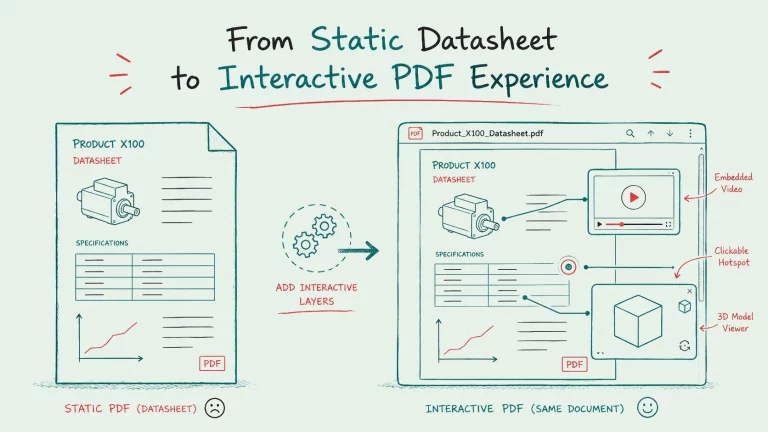
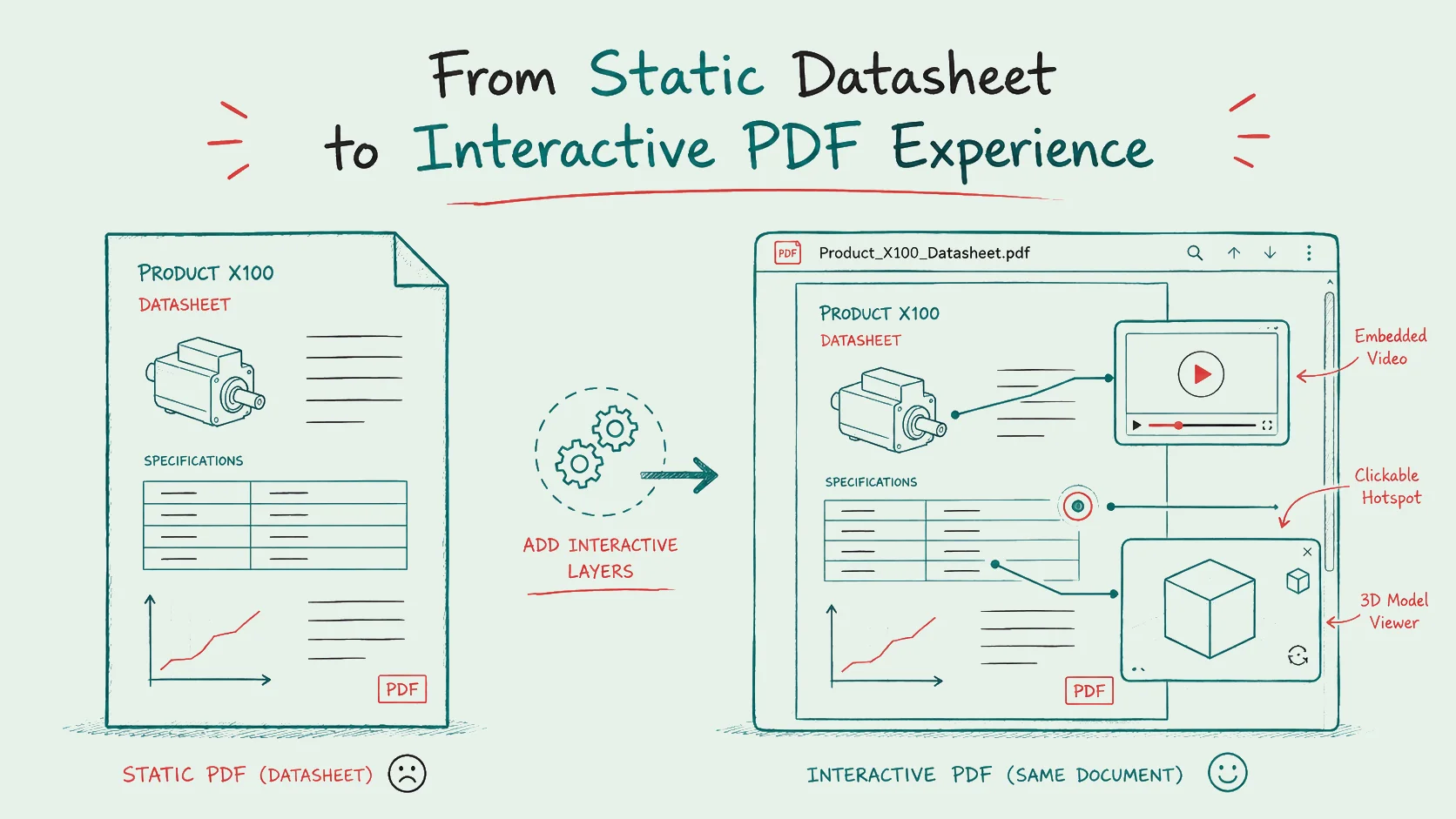
For decades, the classic PDF has been the standard. It is universally accessible, easy to send via email, and prints beautifully. However, traditional PDFs are completely static. In an era where buyers expect rich, immersive digital experiences, a flat document can feel a bit dated.
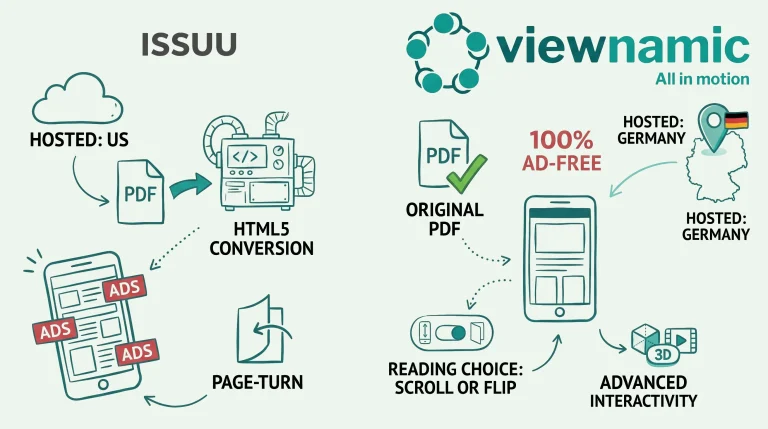
Many attempt to solve this by linking out to YouTube or external virtual tour platforms, but this forces the buyer to leave the document, breaking their concentration and disrupting the reading flow. Others try clunky flipbook solutions that don’t read well on mobile devices.
Bring Your PDF to Life with Viewnamic
This is where you can truly set your property apart. By utilizing Viewnamic, you can transform your beautifully designed, static PDF into an interactive, dynamic experience without sacrificing the classic PDF format. You can see this in action in our interactive example, where videos bring the property to life.
Instead of forcing your potential buyers to click external links, Viewnamic allows you to seamlessly integrate high-quality videos, 3D models, and virtual tours directly into your real estate PDF exposé.
Here is why this approach completely changes the game:
- A Natural Reading Experience: Your buyers simply upload the document to their browser and read it with a natural, vertical scroll. There are no frustrating, artificial page-flip animations.
- Seamless Integration: Your videos and 3D property walkthroughs are placed exactly where you want them. They overlay the PDF as a dynamic element, making it look and feel like the video is a native part of the document. This is a key feature of our real estate solution, designed to keep buyers engaged without distractions.
- Preserved Originality: The original PDF file remains completely unaltered. You design your perfect 8-page document, and Viewnamic simply adds the digital magic on top via a highly customizable web viewer branded to your business.
- Actionable Insights: Unlike a standard PDF attachment, sending a Viewnamic link gives you access to powerful statistics. You can see how often your exposé was viewed and how buyers interacted with your videos, allowing you to follow up with your hottest leads at exactly the right time.
Conclusion
Creating a winning real estate PDF exposé requires a blend of hard facts, captivating photography, clean design, and a logical structure. By keeping your page count concise, utilizing white space, and prioritizing high-quality visuals, you can create a document that builds trust and excitement.
But to truly dominate the modern real estate market, you need to go beyond the static page. By embedding dynamic videos and 3D tours directly into your layouts, you provide an immersive, premium experience that standard brochures simply cannot match.
Ready to revolutionize your property marketing? Start building your customized, interactive exposés today with Viewnamic and turn your standard PDFs into powerful, dynamic sales tools.
Last updated:
Publish your PDFs with Viewnamic
Host, share and enhance your documents – free for 30 days.