Elevate Academic Publishing: Make Your Scientific Papers Interactive

Transform static research PDFs into engaging, multi-dimensional experiences. Seamlessly integrate videos, 3D models, and interactive data charts directly into your publications.

See the interactive example paper below.

Click here to explore the interactive PDF

See the example paper below.

See the example paper below.

Trusted by professionals across different industries

Static PDF files limit the impact of your research

Publishing complex findings, large datasets, and dynamic lab experiments through static text and 2D images makes it incredibly hard to convey the full scope of your work. Modern researchers, reviewers, and students expect a comprehensive, engaging reading experience that brings your research to life.
Illustration of a frustrated researcher pointing at a static scientific document with complex charts, accompanied by tangled red lines that symbolize confusion.

Why dynamic papers work better for science

Viewnamic brings your academic publications to life without altering your original manuscript. You can seamlessly embed animations of time and temperature dependent data, 3D structures, or interactive charts to create a highly informative paper. Your peers simply scroll naturally through the research directly in their browser.

Illustration of a smiling researcher pointing at an interactive scientific document with clickable charts, accompanied by a lightbulb thought bubble symbolizing clear understanding.

Enhance your academic papers with a few clicks

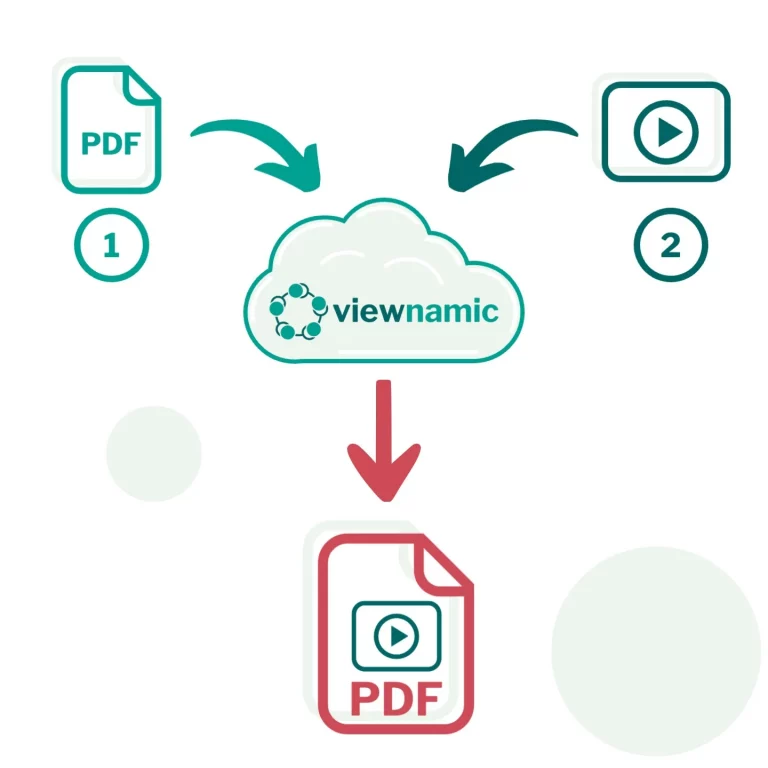
Creating your interactive publication is fast and straightforward. Upload your existing PDF, select the areas where your supplementary media should appear, and link your videos or models. Finally, generate a link to share your enriched research instantly.

Viewnamic workflow illustration – upload PDF and video to cloud-based platform to generate interactive multimedia PDF with shareable link.

Customize your reader for your journal or university

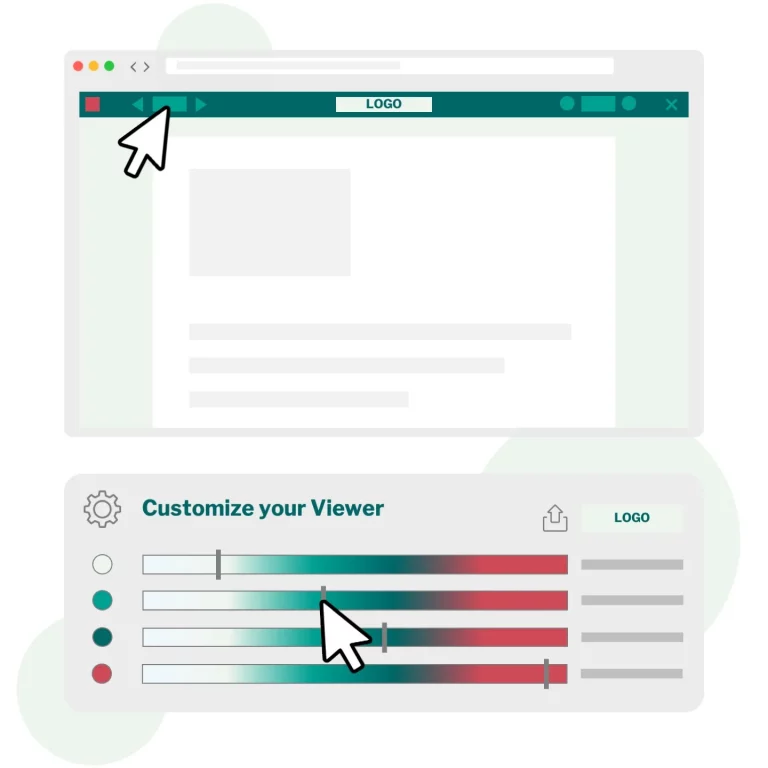
Your publications should reflect your institution’s standards seamlessly. The viewer is fully customizable, allowing you to easily apply specific brand colors, or your university logo. Ensure the best reading experience across all your published materials.

Poster vor Video. Poster Shows image of a PC-Mouse, a mockup PDF-Viewer and a Customizer from viewnamic with colourbars to adjust the PDF-Viewer elements

Actionable Statistics for Reader Engagement

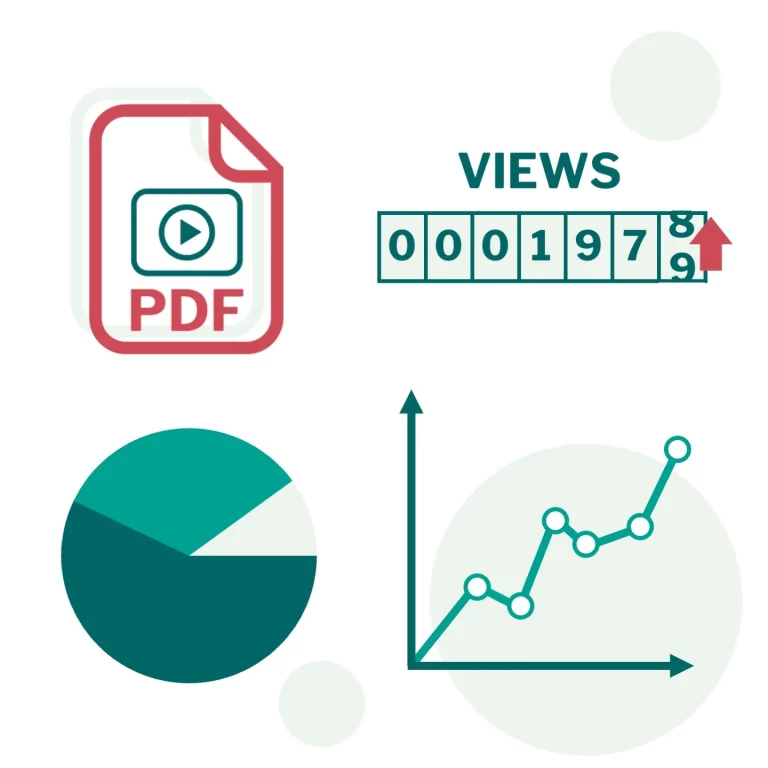
While the dynamic experience improves comprehension, detailed analytics help you measure your paper’s impact. Viewnamic shows exactly how long a reader stays on a specific section and which embedded experiments they actually watch.

Schematic Illustration of statistical elements around a PDF. Track user statistics for your PDF document

How Viewnamic differs from traditional PDF tools

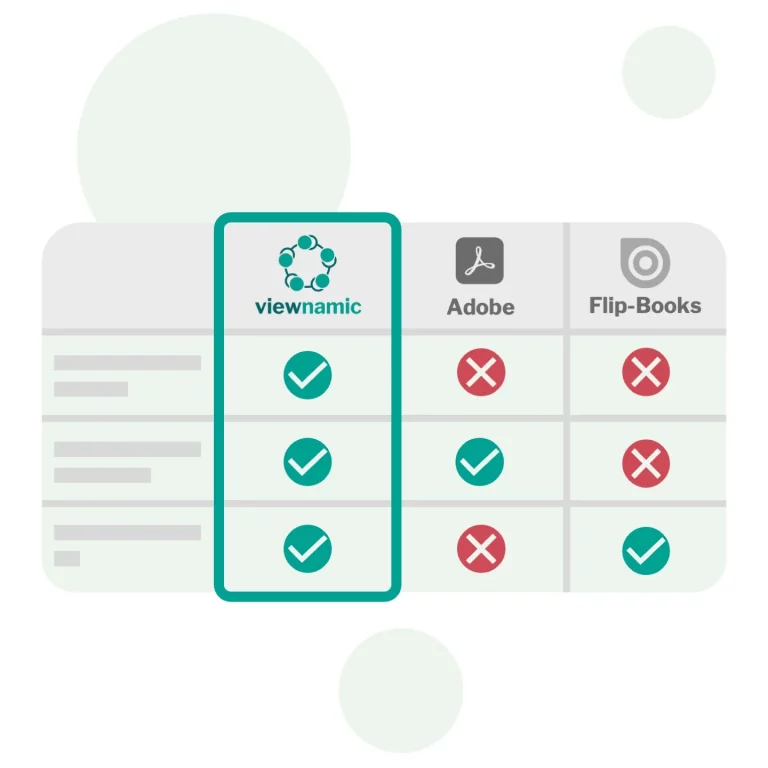
Viewnamic keeps your original scientific PDF file size unchanged when adding supplementary media — unlike Adobe, which embeds files directly into the document, making it too large to email. It also offers a true academic reading experience, preserving the strict layout and column readability of scientific formats, whereas flipbook tools convert your document into a distracting magazine-style animation.

Schematic comparison Table between Viewnamic Adobe and Flipbooks

Ready for the Future of Academic Publishing?

Increase the reach and comprehension of your research with interactive publications that truly stand out. Start transforming your PDFs today and bring your data to life.

FAQs

How can I embed a video (or other content) into a PDF?

To embed a video into a PDF simply upload your file. Then choose the area where the video should appear and upload your video — that’s all it takes.

If you prefer to place the video on top of an existing image, you can upload that image as well. Viewnamic will automatically detect the image inside your PDF and replace it for you.

Adobe Reader can display videos and other rich media inside a PDF, but most people avoid this method because it only works in a few PDF viewers. If you embed a video using Adobe tools and someone opens the file in Apple Preview or another common PDF reader, the media simply won’t appear.

There’s another drawback: Adobe embeds the video directly into the PDF file, which makes the document extremely large. This breaks email delivery and makes the PDF slow and cumbersome to navigate.

With Viewnamic, your original PDF stays lightweight and unchanged. The dynamic content is delivered through our interactive viewer, so it works reliably across devices without bloating your file.

Yes. Your original PDF remains unchanged, and all dynamic content is hosted by Viewnamic. You receive a shareable link to your document. When someone opens the link, the PDF is displayed together with the embedded videos — fully compatible with any device or browser.

If you prefer, you can also send the original PDF directly. The recipient can simply drag and drop the file into the Viewnamic PDF reader to view the interactive version.

You can always download the static PDF from the Viewnamic viewer if you need an offline copy.

No. Anyone can open your interactive document in a browser — no downloads or plugins required.

Your files are stored securely and only accessible through the unique link you share. You can delete your content at any time.

Viewnamic is ideal for manuals, real estate exposés, brochures, product sheets, presentations, CVs and any PDF that benefits from interactive media.

Yes. Your interactive documents work smoothly on phones, tablets, and desktops.

Stay Ahead in Digital Sales. Join our Newsletter!